Measures
Measures by nomenclature
With this option, you can search for measures that are applicable on declarable commodity codes that start with same numbers as the given commodity code. You can view measure details for the matching commodity codes.
Example 1: Commodity code: 3001 will give measures on all declarable commodity codes that are on same level or below 3001.
Example 2: Commodity code: 300120 will give measures on all declarable commodity codes that are on same level or below 300120.
Click Measures on the menu bar and then click on By nomenclature in the sub-menu. The following page will appear:
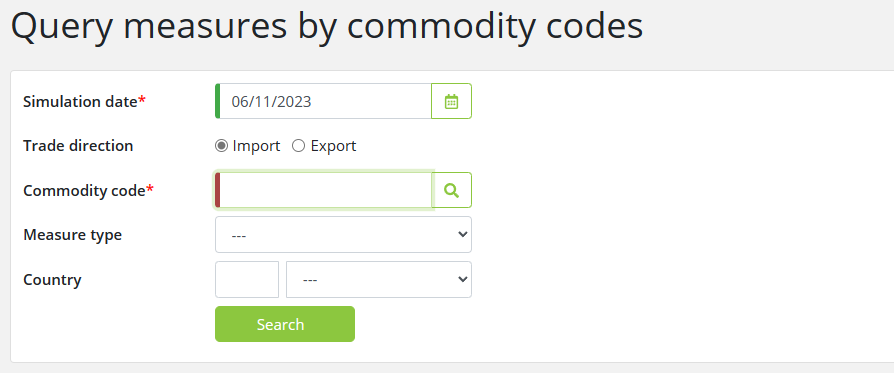
To find measures by commodity codes, enter the relevant data into the fields according to the following table:
|
Field |
Description |
|
Simulation date |
Entering a Simulation date is required when searching for measures, narrowing the search to only the measures that are valid at the specified date. By default, the field is set to the current date.
The simulation date entered can be earlier or later than the system's current date. If the simulation date is later than the current date, a warning about the possible future changes to measures will be displayed.
|
|
Trade direction |
Select the trade direction i.e. Import or Export. By default, it is set to Import.
|
|
Commodity code |
If you choose to look at the import trade direction, the commodity code you enter must be 10 digits. If you look at the export trade direction, the commodity code you enter must be 8 digits. To lookup a commodity code, click on the
|
|
Measure type |
Filter results by a measure type. Choose the measure type of your choice from the list.
|
|
Country |
Filter results by a country. Choose the country of your choice by description or ID.
|

Click on the Search button to start the search. The following results page will appear:
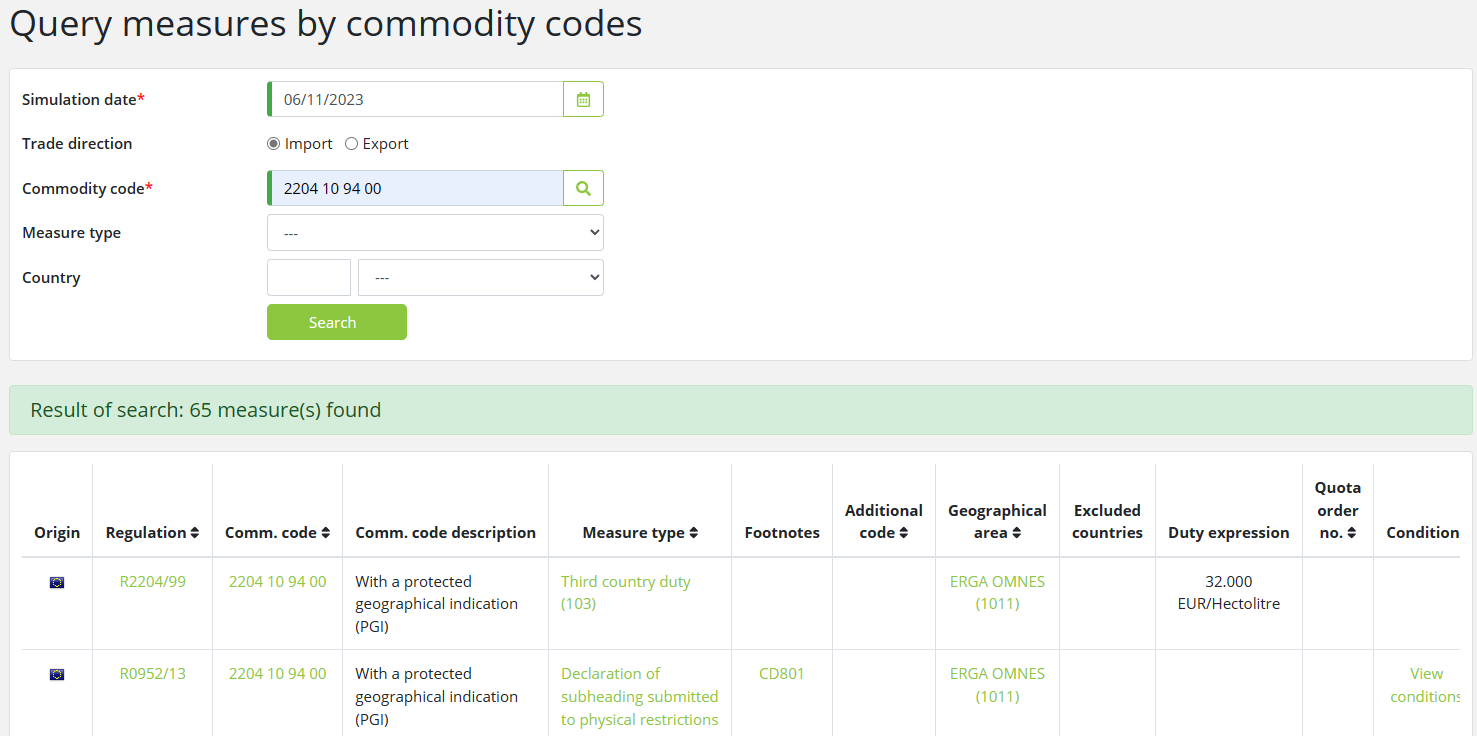
The measures by commodity codes are displayed in the lower segment of the page.
The following information about each measure type is displayed and by clicking on the links, you can see additional information about each of the fields:
|
Field |
Description |
|
Origin |
Shows whether the measure is a national or a TARIC measure in the form of a corresponding flag.
|
|
Regulation |
Shows the role and ID of the regulation associated with the measure.
|
|
Comm. code |
Shows the commodity code.
|
|
Comm. code description |
Shows the description of the commodity code.
|
|
Measure type |
Click on the Measure type to view more information about the Measure in a popup window.
|
|
Footnotes |
Shows the footnote type and ID associated with the measure, with an option to view the footnote.
|
|
Additional code |
Shows the additional code (type and code) associated with the measure, with an option to view the additional code.
Click on the additional code for more information about the code, displayed in a popup window.
|
|
Geographical area |
Shows the country or region of the measure.
|
|
Excluded countries |
Shows the countries from the country group that the measure does not cover.
|
|
Duty expression |
Shows the duty rate for duty measures.
|
|
Quota order no. |
The Quota order number that is related to the measure.
Click on the Quota order number for detailed quota information, displayed in a popup window.
|
|
Conditions |
Indicates if there are conditions associated with the measure.
Click on View conditions for detailed condition information, displayed in a popup window.
|