Exchange rates
With this option, you can obtain information about current and historical currency rates that are applied in Customs by using the currency calculator.
Click Calc of duties on the menu bar and then click on Exchange rates in the sub-menu.
The following page will appear:
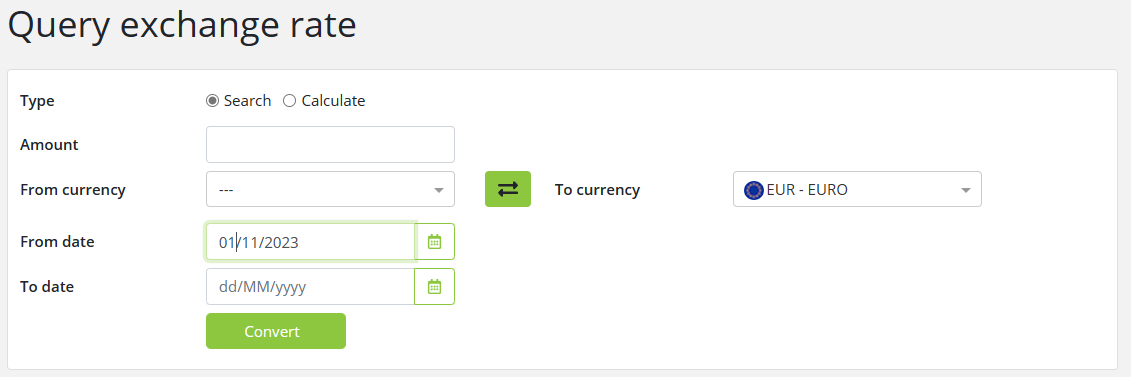
You have two options here:
-
Search: search for exchange rates by filling in the search form
-
Calculate: calculate the currency rates by using the currency calculator.
Exchange rate search
To search for the exchange rate, enter the relevant data into the fields in the Search tab according to the following table:
|
Field |
Description |
|
Amount |
Amount that will be converted. This field can be left empty.
|
|
From currency |
Select a currency from the list. If a currency is not selected, the results will contain all currencies available in Tariff.
|
|
To currency |
Select a currency from the list. The ‘To currency’ drop down lists the national currency and, if national currency is not Euros, also lists Euros.
|
|
From date |
Enter the validity start date of the exchange rate. This field can be left empty.
|
|
To date |
Enter the validity end date of the exchange rate. This field can be left empty.
|
Click on the Convert button to start the search.
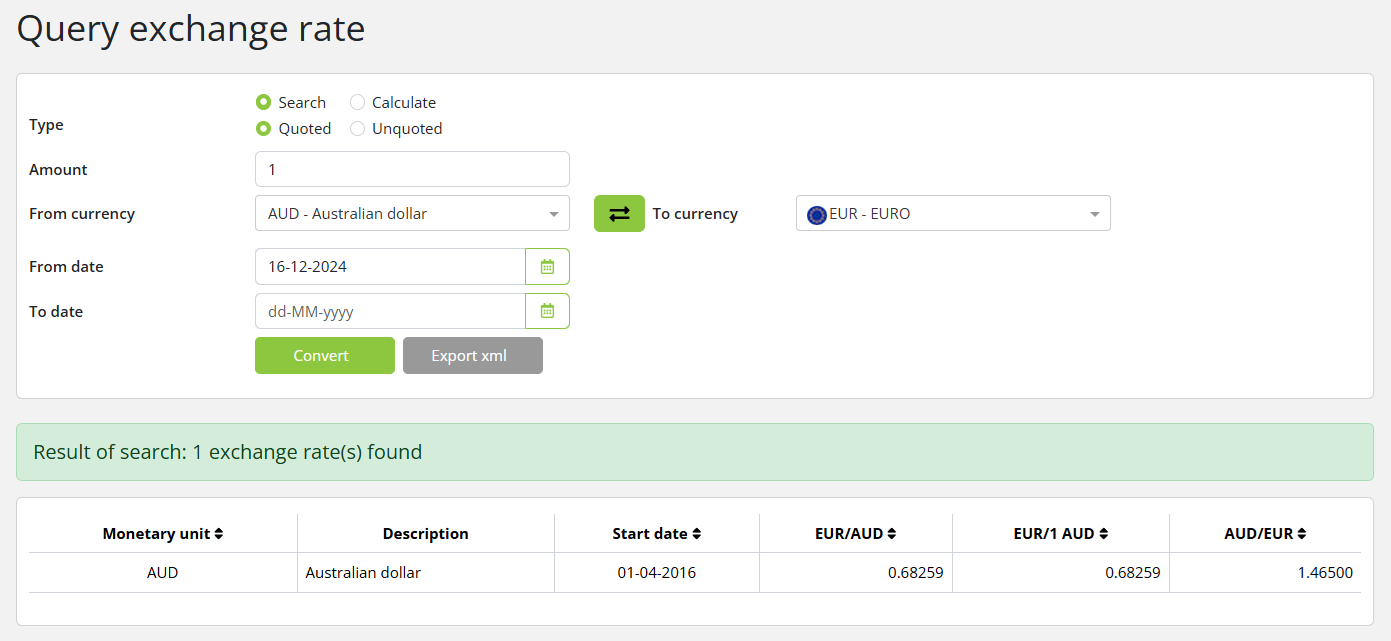
The following results page will appear and you will be able to view validity dates and exchange rates for the selected currency:
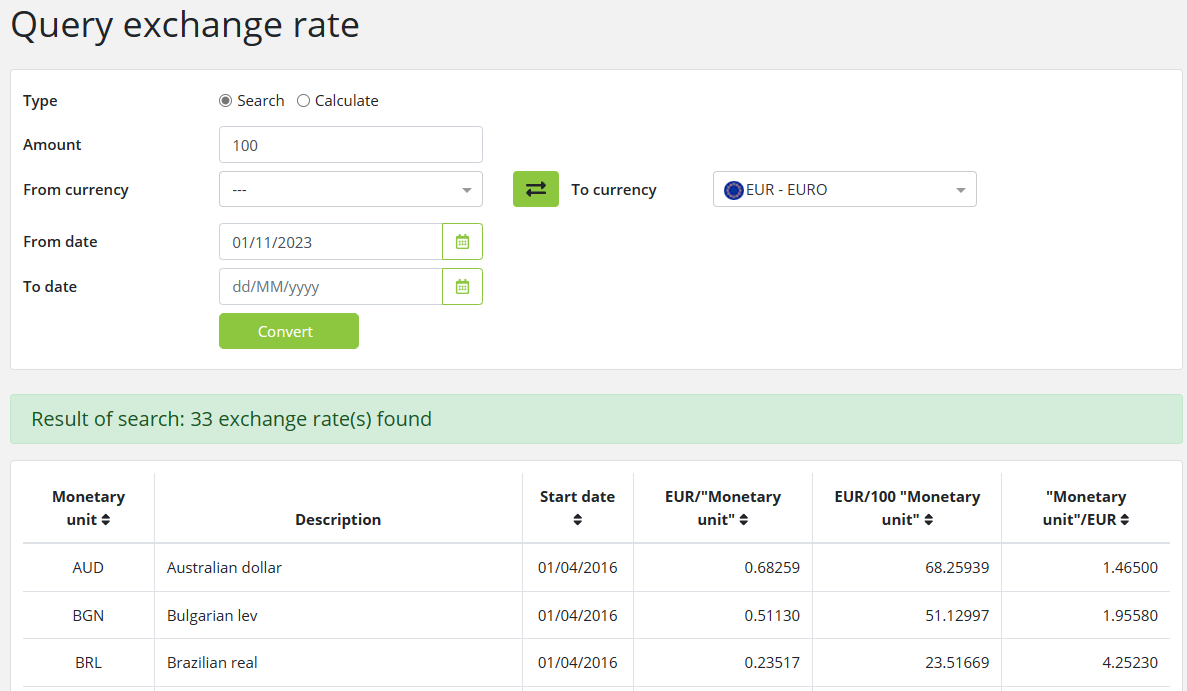
Each row in the results contains exchange rate details, for a monetary unit, that were valid in the simulation date range.
If simulation date was not specified, the exchange rates for the current date are shown.
The following information is shown in the results:
|
Field |
Description |
|
Monetary Unit |
The selected ‘From’ currency code.
|
|
Description |
The selected ‘From’ currency name.
|
|
Start date |
The date that the exchange rate became valid.
|
|
‘To’ currency code / ‘From’ currency |
The number of ‘To’ units per 1 ‘From’ unit.
|
|
‘To’ currency code / ‘Amount’ of ‘From’ currency |
The number of ‘To’ units per ‘Amount’ of ‘From’ units. This column is not shown if the amount is empty or zero.
|
|
‘From’ currency / ‘To’ currency |
The number of ‘From’ units per 1 ‘To’ unit.
|
You can switch From currency and To currency by clicking on button 
Currency calculator
To calculate the currency rates, select the ‘Calculate’ radio button and enter the relevant data into the fields in the following table:
|
Field |
Description |
|
Amount |
Enter the amount into the first field. This field is mandatory.
|
|
From currency |
Choose the From currency from the list.
|
|
To currency |
Choose the To currency from the list.
|
|
From date |
Enter the from date of your choice.
|
|
To date |
This field is disabled.
|
After you have filled in the fields, click the Convert button. The currency rates are calculated for the specified date and amount:
The calculated exchange rate is displayed below the Calculate form.
From currency and To currency could be switched by clicking button
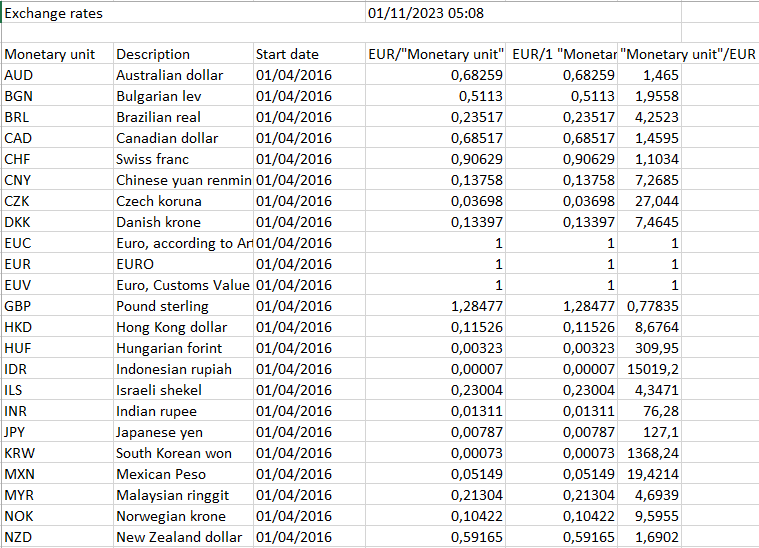
Click on the Export to get the list with exchange rates in an Excel file.
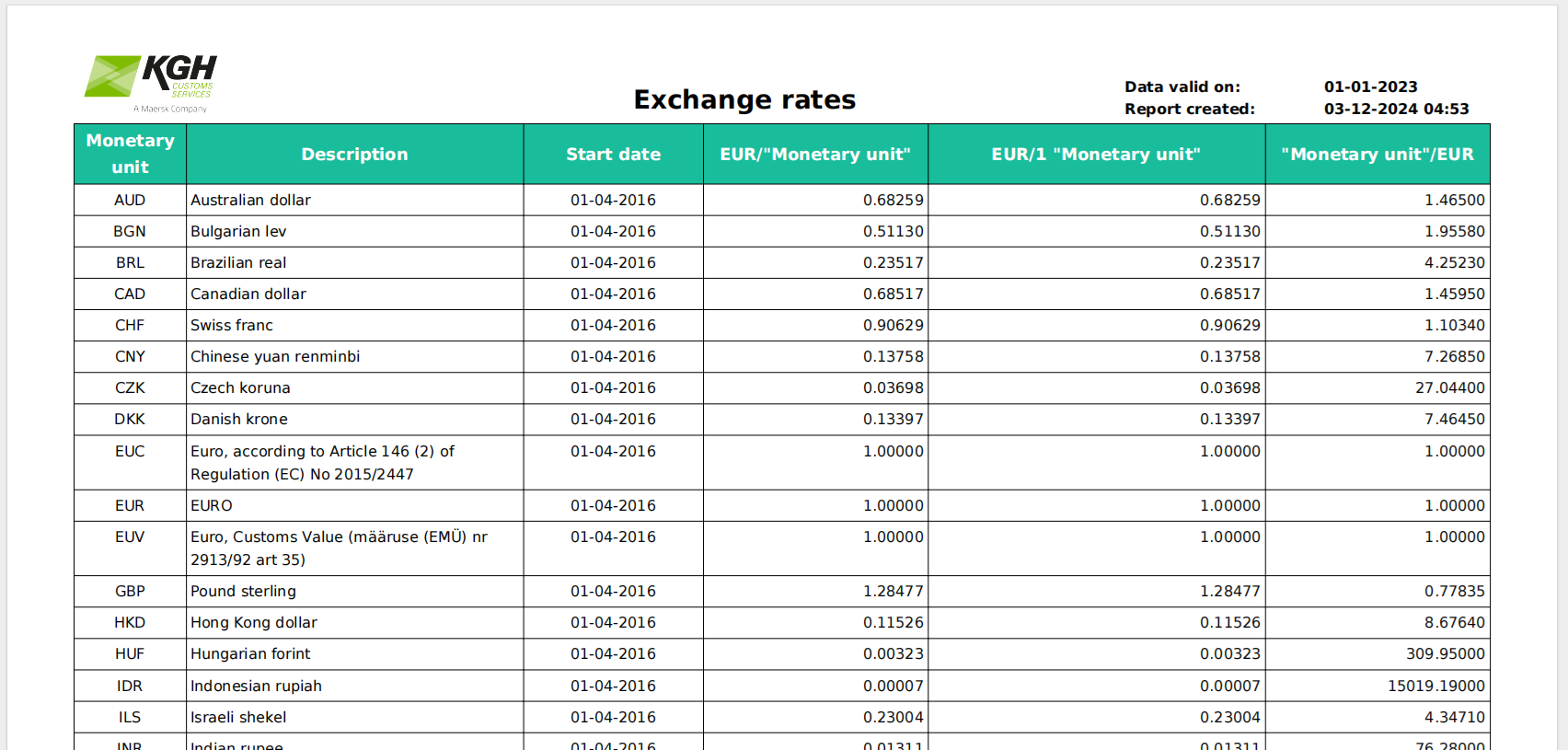
Click on the Print to get the list with exchange rates in an PDF file.