Nomenclature
Query by nomenclature
With this option, you can find commodity codes in the goods nomenclature. You can do this by searching for a specific code or by browsing the nomenclature.
Click Nomenclature on the menu bar and then click on Query by nomenclature in the sub-menu. The following page will appear:
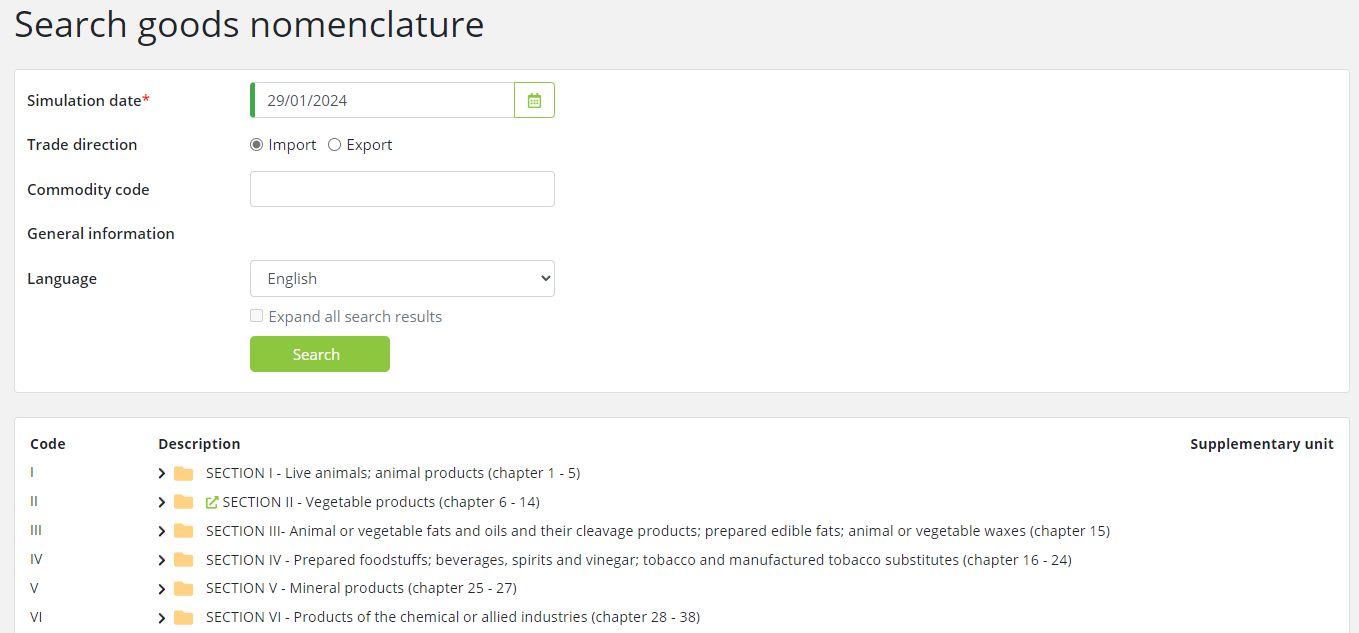
This page is divided into two main segments: Search and the Nomenclature tree.
Search
This segment enables you to search for the relevant commodity codes according to the following criteria:
|
Field |
Description |
|
Simulation date |
Entering a Simulation date is required when searching for goods nomenclature, narrowing the search to only the nomenclatures that are valid at the specified date. By default, the current date is used. |
|
Trade direction |
Select the trade direction i.e. Import or Export. By default, it is set to Import.
|
|
Commodity code |
Enter the commodity code you are looking for; enter 2, 4, 6, 8 or 10 digits.
|
|
General information |
Shows the links to additional information about the commodity codes or Tariff.
|
|
Language |
By default, the language displayed is set to the language of your user interface. You can change it to any of the preset languages available in this field.
|
|
Expand all search results |
When this checkbox is selected, the search results are shown in a fully expanded goods nomenclature tree.
|
After you have entered the criteria, click on the Search button. Matching codes will be displayed within the goods nomenclature tree in the lower segment of the page.
Nomenclature Tree
This segment displays the goods nomenclature tree, organized in SECTIONS. By default, it is set to the import mode with the current date as the date of query. For each SECTION, you will see the Roman numeral (e.g. "VII"), the title and the chapters contained in the SECTION.
You can browse each SECTION by clicking on the relevant SECTION to expand it and browse for further details by expanding the chapters and nomenclature within it.
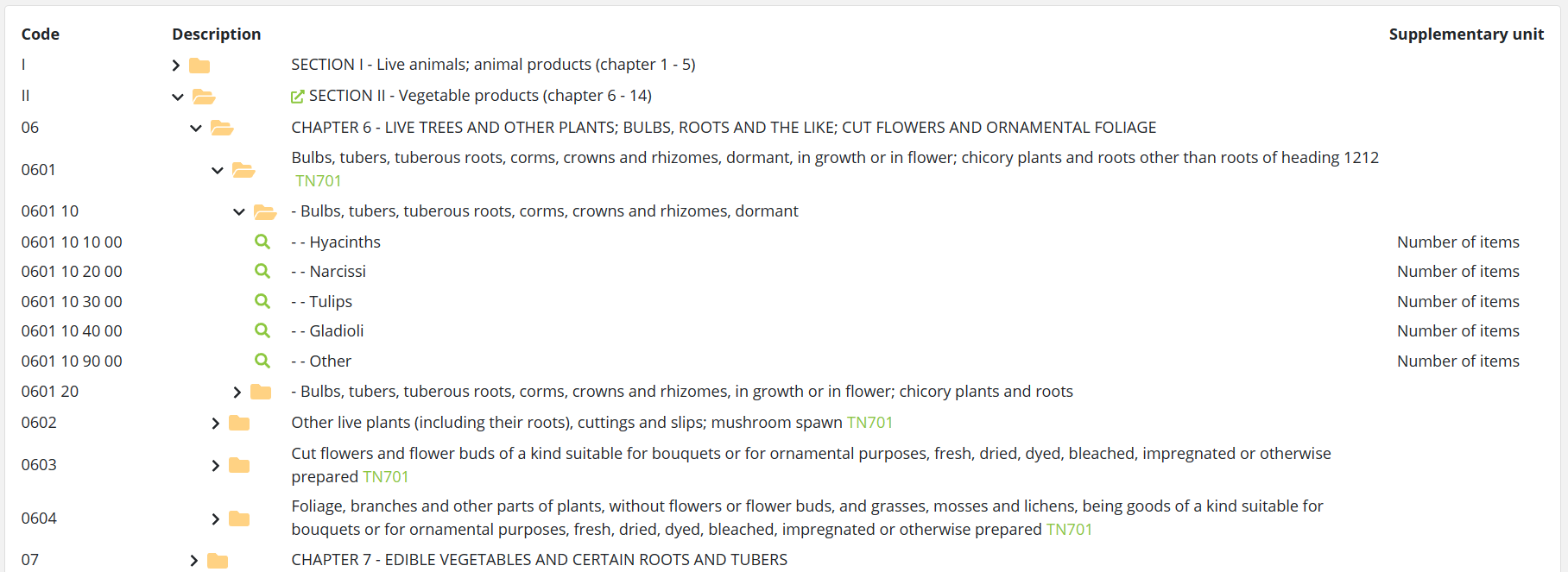
The following information is shown in the goods nomenclature tree.
|
Field |
Description |
|
Commodity code |
Entering a Simulation date is required when searching for goods nomenclature, narrowing the search to only the nomenclatures that are valid at the specified date. By default, the current date is used. |
|
Folders and search icons |
Click on a folder to expand or collapse it. Clicking on a
|
|
Links |
Clicking a
|
|
Description |
The goods nomenclature description is displayed in the selected language. Indents (e.g. ---) are displayed to help show the position of each code within the nomenclature.
|
|
Footnotes |
Footnote codes are displayed after the description (e.g. TN701). Clicking on a footnote code opens a pop-up showing footnote text.
|
|
Supplementary units |
Where relevant, the applicable supplementary unit (e.g. Litres) is shown for commodities.
|

